The 30-Second Answer
Desk space, apartment size and moving frequency can materially affect the desktop-versus-laptop decision in Japan:
- Choose a Desktop: When sustained multi-hour compute matters (3D simulations, batch rendering, local LLM serving), when you require 32GB VRAM (RTX 5090) or multi-slot PCIe expansion, and your desk and living situation support a permanent workstation.
- Choose a Laptop: When you move apartments frequently in Japan, work across coworking spaces or studios, live in a compact room with narrow desk space, or prioritize an integrated high-quality color display.
A Hybrid Option: For many creative professionals and developers, a stationary compute workstation at home or studio combined with a lightweight portable laptop for meetings and remote access provides an optimal balance.
1. Desk Space, Apartment Footprint, and Summer Thermals
Desk space, apartment size and moving frequency can materially affect the desktop-versus-laptop decision in Japan. In Tokyo, Osaka, and other major metropolitan areas, residential rental layouts (such as 1K or 1LDK apartments) commonly feature desks with depths of only 45cm to 60cm.
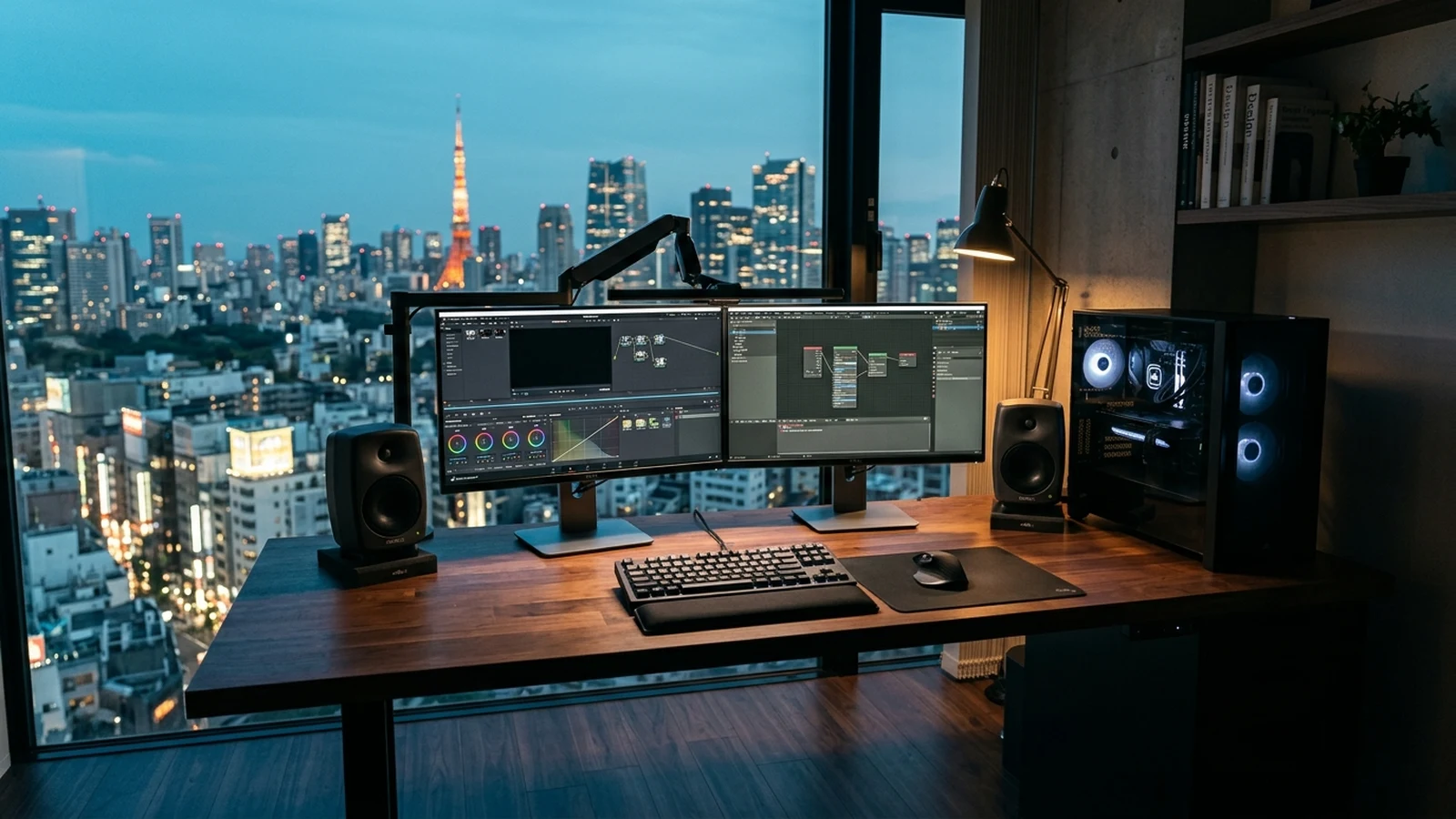
A full-tower or large mid-tower desktop workstation, accompanied by external displays, monitor arms, audio peripherals, and an uninterruptible power supply (UPS), consumes substantial physical and visual space in a compact room.
Room Heat Dissipation in Summer
A high-end desktop workstation running extended AI training or 3D rendering draws substantial power under load, radiating heat into the room. During Japan's hot and humid summer months (July through September), sustained compute loads in a compact room add demand to air conditioning systems and increase room noise levels.
2. Relocation Frequency in Japan
Residents in Japan frequently relocate between rental apartments every few years due to lease renewal cycles (更新料, koushin-ryou), job changes, or schooling.
Relocating a desktop workstation in Japan introduces practical handling considerations:
- GPU Transport Safety: Heavy modern graphics cards exert shear force on motherboard PCIe slots during vehicle transit over road vibrations.
- Protective Packaging: Glass side panels and liquid cooling components require careful packaging, or the GPU should be uninstalled prior to moving day.
- Moving Company Policies: Domestic moving services (引越し業者) handle precision electronics with specific care guidelines and insurance declarations.
By contrast, a laptop can simply be transported in a backpack, eliminating transport friction entirely. If you are weighing whether to transport an existing PC to Japan, see our guide on Bringing Your PC vs Buying in Japan.
3. Sustained Compute Headroom and Power Limits
Processor naming can sometimes mask physical thermal realities: a mobile GPU bearing the name “RTX 5080 Laptop” operates in a different physical and thermal class than a desktop RTX 5080.
| Dimension | Desktop Workstation | High-End Laptop |
|---|---|---|
| GPU Power Envelope | Up to 575W TGP (RTX 5090) with high-volume chassis airflow and large fin-stacks. | Operates under constrained power envelopes governed by chassis thickness and acoustics. |
| Sustained Thermal Performance | Capable of maintaining sustained clock speeds under extended multi-hour workloads. | Thermal dynamics require clock modulation or fan adjustments under prolonged heavy load. |
| Maximum Dedicated GPU Memory | 32GB GDDR7 on consumer flagship (RTX 5090). | High-end current Windows laptops can reach 24GB dedicated GPU memory with the RTX 5090 Laptop GPU, while lower tiers provide less. |
| System Memory Capacity | Up to 128GB–192GB DDR5 across 4 DIMM slots on mainstream desktop platforms. | Typically 32GB to 64GB (some mobile workstations expandable higher). |
For workloads involving long 3D scene rendering, continuous simulation caching, or multi-hour local AI batch processing, the desktop's expansive cooling heatsinks allow continuous execution without severe acoustic distraction or thermal throttling.
4. GPU Memory and Local AI Workloads
If your primary objective in Japan is working with local artificial intelligence models, the choice between desktop and laptop is largely guided by GPU memory capacity and architecture:
- Desktop RTX 5090: Equips 32GB of dedicated VRAM. While many practical 70B-class Q4 configurations can exceed 32GB once model weights, KV cache, and runtime overhead are included, 32GB provides substantial headroom for 8B–32B models, FLUX diffusion pipelines, and multi-stage ComfyUI workflows without spilling into slower system memory.
- Windows Creator Laptops: High-end current Windows laptops can reach 24GB of dedicated GPU memory with the RTX 5090 Laptop GPU, while lower tiers provide less (16GB, 12GB, or 8GB). A 16GB or lower ceiling limits local model size and context length for large models.
On the mobile side, Apple's MacBook Pro with M-series Max chips (such as the M5 Max) offers up to 128GB of unified memory accessible to both CPU and GPU cores, which is beneficial for running larger parameter models on Metal. Workflows that strictly depend on NVIDIA CUDA require an NVIDIA GPU. Desktop systems generally provide more VRAM, cooling and upgrade headroom, while CUDA is also available on compatible NVIDIA laptop GPUs. For a full breakdown of local AI hardware choices in Japan, explore our Local AI PC Japan Guide.
5. I/O Expansion, Dedicated Storage, and Displays
Creative studio pipelines often involve peripheral hardware that exceeds what compact laptop ports comfortably accommodate:
- Internal PCIe Slots: Multi-channel capture cards (such as Blackmagic DeckLink), 10Gbps network cards, and specialized audio DSP hardware require full PCIe slots.
- Storage Scalability: Modern desktop motherboards accommodate three to five high-speed M.2 NVMe SSDs, delivering massive high-speed storage for 4K/8K uncompressed footage and model weight caches. Laptops typically accommodate one or two M.2 drives.
- The Laptop Display Advantage: Conversely, premium creator laptops often ship with factory-calibrated OLED or Mini-LED displays boasting wide color gamuts and high dynamic range. Purchasing an equivalent standalone color-critical desktop monitor represents an additional budget investment.
To compare creator-focused laptops and desktop workstations, visit our Creator PC Japan Guide.
6. A Hybrid Option: The Two-Tier Setup
Rather than treating desktop and laptop as mutually exclusive, many software engineers and creative professionals in Japan adopt a two-tier hybrid model:
The Two-Tier Workstation Topology
Tier 1: Heavy Compute Desktop (Stationary)
A stationary BTO or DIY tower equipped with an RTX 5090 or high-tier GPU, 64GB–128GB RAM, and ample NVMe storage placed at home or studio. It handles compute-heavy background tasks, local AI model hosting, and render queues.
Tier 2: Lightweight Laptop (Mobile)
A compact, highly portable laptop (e.g., MacBook Air or ThinkPad) carried to meetings, coffee shops, or university offices. When heavy compute is needed, the user connects remotely back to the stationary workstation using SSH, Tailscale, or low-latency remote desktop protocols.
If you decide to invest in a stationary workstation in Japan, our guide on Where to Buy a High-End PC in Japan outlines the 4 primary purchasing channels.
Next Steps
Depending on whether you choose a high-capacity stationary desktop or a mobile workstation, proceed to our targeted execution guides:
Frequently Asked Questions
Is a desktop PC always faster than a high-end laptop with the same GPU model name?
Yes, especially under sustained workloads. Laptop GPUs operate under strict acoustic and thermal power envelopes, whereas desktop counterparts like the RTX 5090 have access to much larger cooling fin-stacks and higher power budgets, delivering higher sustained compute performance.
Can a laptop handle serious creative work like video editing and 3D modeling in Japan?
Yes. Modern mobile workstations featuring Apple M-series Max chips or high-end RTX mobile GPUs excel at timeline editing, motion graphics, and mobile digital creation. The limitation typically emerges in extended 3D physics caching, multi-hour batch rendering, or memory-heavy simulation pipelines.
Which form factor is better for running Local AI models?
Desktops are generally superior for heavy CUDA AI if your models demand high VRAM and long compute sessions. Desktop architectures support 32GB VRAM on an RTX 5090 and allow expansive system RAM. High-end current Windows laptops can reach 24GB of dedicated GPU memory with the RTX 5090 Laptop GPU, while lower tiers provide less.
How much do apartment size and desk space impact the desktop vs laptop choice in Japan?
Desk space, apartment size, and moving frequency can materially affect the desktop-versus-laptop decision in Japan. In compact rental units, desk depth and room heat dissipation during hot summers make a laptop or compact setup very attractive, whereas a stable workstation corner is needed for a full tower.
What is a practical hybrid setup for professionals living in Japan?
A popular setup is a high-performance desktop workstation placed at home or studio handling heavy rendering, AI tasks, and storage, paired with a lightweight laptop (such as a MacBook Air or ThinkPad) for mobile meetings, cafe work, and remote SSH/VPN connectivity.